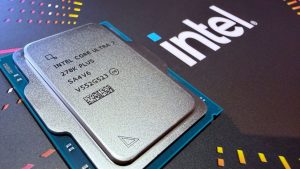
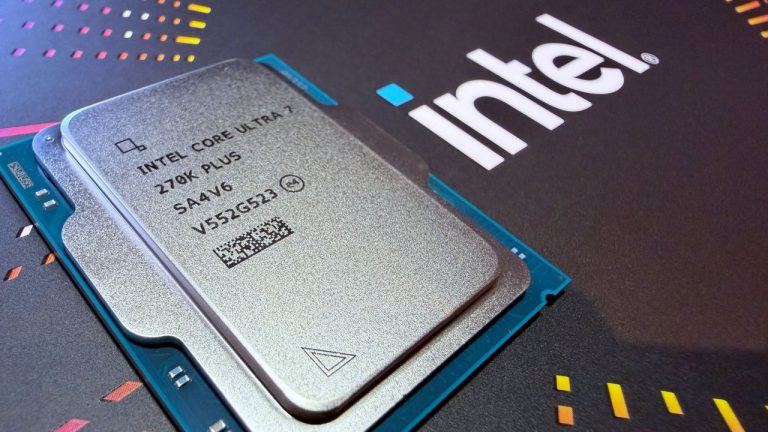
For the refresh of its Arrow Lake-based desktop processor range, Intel has released just two new chips: the brilliant Core Ultra 7 270K Plus and this one, the equally brilliant $199 Core Ultra 5 250K Plus. Apologies for throwing in a review spoiler right at the start like that, but if you’ve already seen the score and the hardware specs, you won’t be surprised in the least bit.
Given its Ultra 5 name, it makes sense to directly compare the 250K Plus to the Core Ultra 5 245K, which was launched back in October 2024. While both processors sport six P-cores, Intel has added four more E-cores to the 250K Plus, for a total of 18 cores and 18 threads.
If that was the only change, you’d be forgiven for feeling a little disappointed. However, in my talks with Intel of late, the company has stressed that things are very different now, with new staff, new structures, and new ways of thinking and doing things. Which is why the 250K Plus also sports a raft of internal changes to lift it well clear of the 245K.
(Image credit: Future)
Cores (P+E): 8+12
Threads: 18
Base clock: 4.2 GHz (P-core)
Boost clock: 5.3 GHz (P-core)
L3 Cache: 30 MB
L2 Cache: 30 MB (Total)
Unlocked: Yes
Max usable PCIe lanes: 24
Graphics: Intel Graphics (4 Xe cores)
Memory support (up to): DDR5-7200
Processor Base Power (W): 125
Maximum Package Power (W): 159
Recommended customer price: $199/£199.99
The P-core boost clock has been raised by 100 MHz to 5.3 GHz, but the E-core boost clocks remain unchanged at 4.2 GHz. However, the Die-to-Die (D2D) clock has been significantly increased, from 2.1 to 3.0 GHz. This clock controls the links between all the tiles in the Arrow Lake processor, and a higher clock means less waiting for data to arrive.
Additionally, Intel has bumped the NGU clock for the fabric that links all the components inside the SoC tile (which is home to the memory controller), from 2.6 to 3.0 GHz, and it’s also given the cache memory ring clock a slight nudge: 100 MHz more, so that it runs at 3.9 GHz in the 250K Plus.
Along with a faster memory controller, which now supports DDR5-7200 without resorting to overclocking, you now have a Core Ultra 5 chip that isn’t massively different on the outside but is seriously quicker internally. And it’s not merely a hand-picked bunch of Arrow Lake chips with an overclock, as the compute tile is a fresh wafer design. You might think that this won’t make any difference, but the benchmark results tell you everything you need to know.
PC Gamer test PC specs
(Image credit: Future)
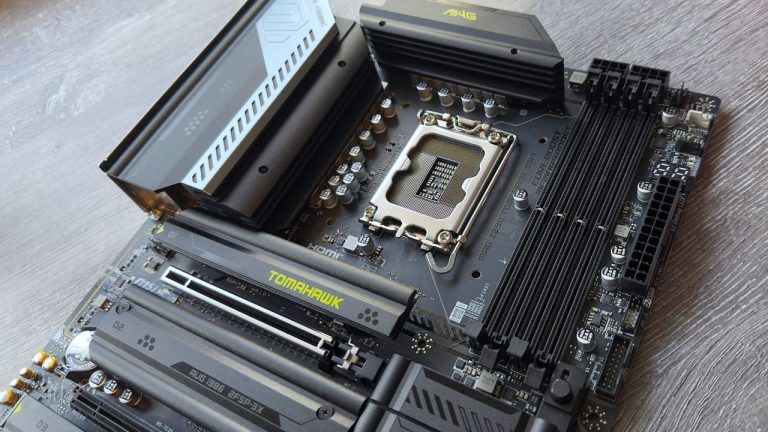
MSI MEG Z890 Ace | 32 GB Corsair Vengeance DDR5-6000 CL32 | Thermalright Peerless Assassin 120 SE | Zotac GeForce RTX 4070 | Corsair MP700 2 TB | Be Quiet! Pure Power 12 M 850 W | Thermal Grizzly Der8enchtable
Gaming performance
Gaming performance
Cyberpunk 2077 (1080p RT Ultra + DLSS Balanced)
Avg FPS
1% Low FPS
Cyberpunk 2077 (1080p RT Ultra + DLSS Balanced) Data ProductValue Intel Core Ultra 5 250K Plus 118 Avg FPS, 93 1% Low FPS Intel Core Ultra 7 265K 117 Avg FPS, 90 1% Low FPS Intel Core Ultra 5 245K 115 Avg FPS, 84 1% Low FPS AMD Ryzen 7 9700X 99 Avg FPS, 59 1% Low FPS AMD Ryzen 5 7600X3D 117 Avg FPS, 59 1% Low FPS AMD Ryzen 5 9600X 107 Avg FPS, 72 1% Low FPS
Avg FPS
1% Low FPS
Baldur’s Gate 3 (1080p Ultra) Data ProductValue Intel Core Ultra 5 250K Plus 109 Avg FPS, 67 1% Low FPS Intel Core Ultra 7 265K 102 Avg FPS, 63 1% Low FPS Intel Core Ultra 5 245K 100 Avg FPS, 62 1% Low FPS AMD Ryzen 7 9700X 94 Avg FPS, 56 1% Low FPS AMD Ryzen 5 7600X3D 117 Avg FPS, 51 1% Low FPS AMD Ryzen 5 9600X 92 Avg FPS, 64 1% Low FPS
Avg FPS
1% Low FPS
Homeworld 3 (1080p Epic) Data ProductValue Intel Core Ultra 5 250K Plus 98 Avg FPS, 56 1% Low FPS Intel Core Ultra 7 265K 95 Avg FPS, 53 1% Low FPS Intel Core Ultra 5 245K 93 Avg FPS, 53 1% Low FPS AMD Ryzen 7 9700X 91 Avg FPS, 49 1% Low FPS AMD Ryzen 5 7600X3D 99 Avg FPS, 49 1% Low FPS AMD Ryzen 5 9600X 81 Avg FPS, 44 1% Low FPS
Avg FPS
1% Low FPS
Metro Exodus Enhanced Ed. (1080p High) Data ProductValue Intel Core Ultra 5 250K Plus 145 Avg FPS, 79 1% Low FPS Intel Core Ultra 7 265K 142 Avg FPS, 78 1% Low FPS Intel Core Ultra 5 245K 145 Avg FPS, 78 1% Low FPS AMD Ryzen 7 9700X 146 Avg FPS, 77 1% Low FPS AMD Ryzen 5 7600X3D 152 Avg FPS, 83 1% Low FPS AMD Ryzen 5 9600X 149 Avg FPS, 75 1% Low FPS
Avg FPS
1% Low FPS
Total War: Warhammer 3 (1080p High) Data ProductValue Intel Core Ultra 5 250K Plus 174 Avg FPS, 141 1% Low FPS Intel Core Ultra 7 265K 174 Avg FPS, 136.9 1% Low FPS Intel Core Ultra 5 245K 174 Avg FPS, 140 1% Low FPS AMD Ryzen 7 9700X 151 Avg FPS, 79 1% Low FPS AMD Ryzen 5 7600X3D 165 Avg FPS, 143 1% Low FPS AMD Ryzen 5 9600X 162 Avg FPS, 135 1% Low FPS
CPU index score
Overall index score
3DMark Time Spy Data ProductValue Intel Core Ultra 5 250K Plus 19987 CPU index score, 17567 Overall index score Intel Core Ultra 7 265K 18822 CPU index score, 17377 Overall index score Intel Core Ultra 5 245K 15601 CPU index score, 16935 Overall index score AMD Ryzen 7 9700X 13239 CPU index score, 16437 Overall index score AMD Ryzen 5 7600X3D 9389 CPU index score, 15780 Overall index score AMD Ryzen 5 9600X 10561 CPU index score, 15848 Overall index score
In some games, the 250K Plus is no better than the 245K, but it’s also no worse than the Core Ultra 7 265K. In Metro Exodus Enhanced Edition and Total War: Warhammer 3, there’s no appreciable difference between any of the Core Ultra chips, as a handful of frames per second isn’t going to be noticeable during gameplay.
The faster internals of the 250K Plus come to light in Homeworld 3 and Baldur’s Gate 3, and while you’re not seeing an enormous leap in performance for the former, just 5% here and there, Baldur’s Gate 3 ran 9% better on average, with 8% higher lows.
And then there’s Cyberpunk 2077. Compared to the 245K, the 250K Plus only achieves a 3% higher frame rate overall, but thanks to its faster internals and more L3 cache (by virtue of having an additional E-core cluster), the 1% lows are an impressive 11% higher. An AMD X3D chip is better, of course, but they cost a fair bit more than $199.
It’s worth noting that all of these figures were achieved with a top-end graphics card, pushing all of the game performance onto the CPU. The RTX 4070 is very much a mainstream card, and by the standards of what Intel’s processors support, DDR5-6000 isn’t especially fast, either.
What I’m getting at here is that you’ll see this kind of performance with ‘mere mortal’ hardware: there’s nothing special going on behind the scenes to make the 250K Plus this good in gaming, other than the fundamental architecture.
Content creation performance
Cinebench 2024
Single-core index score
Multi-core index score
Cinebench 2024 Data ProductValue Intel Core Ultra 5 250K Plus 138 Single-core index score, 1817 Multi-core index score Intel Core Ultra 7 265K 135 Single-core index score, 1989 Multi-core index score Intel Core Ultra 5 245K 134 Single-core index score, 1471 Multi-core index score AMD Ryzen 7 9700X 131 Single-core index score, 1148 Multi-core index score AMD Ryzen 5 7600X3D 107 Single-core index score, 810 Multi-core index score AMD Ryzen 5 9600X 133 Single-core index score, 911 Multi-core index score
Blender 4.2.0 Data ProductValue Intel Core Ultra 5 250K Plus 132 Intel Core Ultra 7 265K 146 Intel Core Ultra 5 245K 100 AMD Ryzen 7 9700X 93 AMD Ryzen 5 7600X3D 62 AMD Ryzen 5 9600X 70
Compressing (GIPS)
Decompressing (GIPS)
7zip Data ProductValue Intel Core Ultra 5 250K Plus 147 Compressing (GIPS), 146 Decompressing (GIPS) Intel Core Ultra 7 265K 159 Compressing (GIPS), 165 Decompressing (GIPS) Intel Core Ultra 5 245K 123 Compressing (GIPS), 115 Decompressing (GIPS) AMD Ryzen 7 9700X 112 Compressing (GIPS), 131 Decompressing (GIPS) AMD Ryzen 5 7600X3D 93 Compressing (GIPS), 98 Decompressing (GIPS) AMD Ryzen 5 9600X 94 Compressing (GIPS), 101 Decompressing (GIPS)
Handbrake 1.8.1 Data ProductValue Intel Core Ultra 5 250K Plus 101 Intel Core Ultra 7 265K 115 Intel Core Ultra 5 245K 85 AMD Ryzen 7 9700X 83 AMD Ryzen 5 7600X3D 57 AMD Ryzen 5 9600X 66
Where things really stand out are in the content creation tests. If you use your PC for more than just gaming, you’ll be pleased by the 250K Plus’ single-core performance, and thanks to its support for 18 threads, you won’t be disappointed in the least bit by how well it handles multithreaded workloads.
For photo and video editing, code compiling and offline rendering, the little 250K Plus is genuinely very good. In anything heavily multithreaded, there’s nothing to touch it in this price bracket: not from Intel, not from AMD.
Power and thermals
Power and thermal performance
Average power consumption in Baldur’s Gate 3
Average power consumption in Baldur’s Gate 3 Data ProductValue Intel Core Ultra 5 250K Plus 91 Intel Core Ultra 7 265K 94 Intel Core Ultra 5 245K 83 AMD Ryzen 7 9700X 75 AMD Ryzen 5 7600X3D 68 AMD Ryzen 5 9600X 86
Average CPU package temperature in Baldur’s Gate 3 Data ProductValue Intel Core Ultra 5 250K Plus 57 Intel Core Ultra 7 265K 57 Intel Core Ultra 5 245K 56 AMD Ryzen 7 9700X 57 AMD Ryzen 5 7600X3D 55 AMD Ryzen 5 9600X 59
Avg package power (W)
Peak package power (W)
CPU power consumption in Cinebench 2024 multicore Data ProductValue Intel Core Ultra 5 250K Plus 140 Avg package power (W), 170 Peak package power (W) Intel Core Ultra 7 265K 213 Avg package power (W), 245 Peak package power (W) Intel Core Ultra 5 245K 138 Avg package power (W), 154 Peak package power (W) AMD Ryzen 7 9700X 87 Avg package power (W), 88 Peak package power (W) AMD Ryzen 5 7600X3D 66 AMD Ryzen 5 9600X 87
The downside to all this extra performance is that the Core Ultra 2 250K Plus requires more power than the 245K. In Baldur’s Gate 3, it’s only an additional eight watts (91 vs 83 W), which is nothing to worry about, and a mere two watts more in the Cinebench multicore test, on average.
However, the 250K Plus hits a peak of 170 W in the latter benchmark, albeit only briefly, whereas the 245K always stays under its 159 W limit. The good news is that none of the power levels reached are enough to stress a simple air cooler, and where you’d preferably want to use a big AIO liquid cooler with the 270K Plus, a $40 air system is more than enough to keep temperatures under 70 degrees Celsius.
Overall verdict
(Image credit: Future)
Right at the top of this review, I’ve said Intel’s new chip offers “Ultra 7 class performance for an Ultra 3 class price tag,” and while there is a touch of hyperbole to that statement (the 250K isn’t quite as good as the 265K in content creation), it’s not far off the mark, as shown by my test results.
It’s arguably a better processor than AMD’s Ryzen 5 9600X, both in terms of outright performance and value-for-money, and it’s a more rounded/useful product than the Core Ultra 5 245K. Sure, you can pick up a Ryzen 5 9600X for $183 at Amazon, at the time of writing, but for an extra $16, you’re getting a lot more for a handful of bucks. Compared to the Ryzen 7 9700X, which is $75 more expensive than the 250K Plus, it looks like a must-buy, right?
Well, perhaps not in some cases, and definitely not in others. Starting with the former, while $199 is extremely competitive, you can buy the Core Ultra 7 265K for around $260-270, at the time of writing. It’s not as good as the new chip in gaming, but it does handle content creation tasks better, thanks to having two more P-cores.
(Image credit: Future)
If that’s important to you, it’s worth paying the extra for the 265K or perhaps splashing out even more for the superb Core Ultra 7 270K Plus.
What’s most likely to put a lot of PC enthusiasts off from grabbing a 250K Plus for a new build is the fact that these Arrow Lake Refresh chips are likely to be the last we’ll see from Intel for its LGA 1851 socket. This has always been the case with Intel processors, where its platforms only support a handful of CPU generations, unlike AMD’s AM4 and AM5 sockets, which seemingly support everything (especially the former) churned out by Team Red.
So, if you’re the kind of PC gamer who likes to buy a motherboard and keep it for many years, upgrading the CPU when funds permit, then you’d be better off going down the AM5 route. On the other hand, if you’re like me—use the same processor and board for years, swapping them both when upgrading—then the dead-end nature of the LGA 1851 socket won’t matter so much.
And if that’s the case, getting an 18-core, 18-thread processor for $199 instead of a six-core, 12-thread or an eight-core, 16-thread chip makes an awful lot of sense.